Lorem ipsum dolor sit amet, consetetur sadipscing elitr, sed diam nonumy eirmod.
Lorem ipsum dolor sit amet, consetetur sadipscing elitr, sed diam nonumy eirmod.
7am App Store
The Email app lets you send bulk emails to customers who have purchased tickets for a specific event. It’s ideal for sharing updates, reminders, or important event information directly from your panel.
In this article:
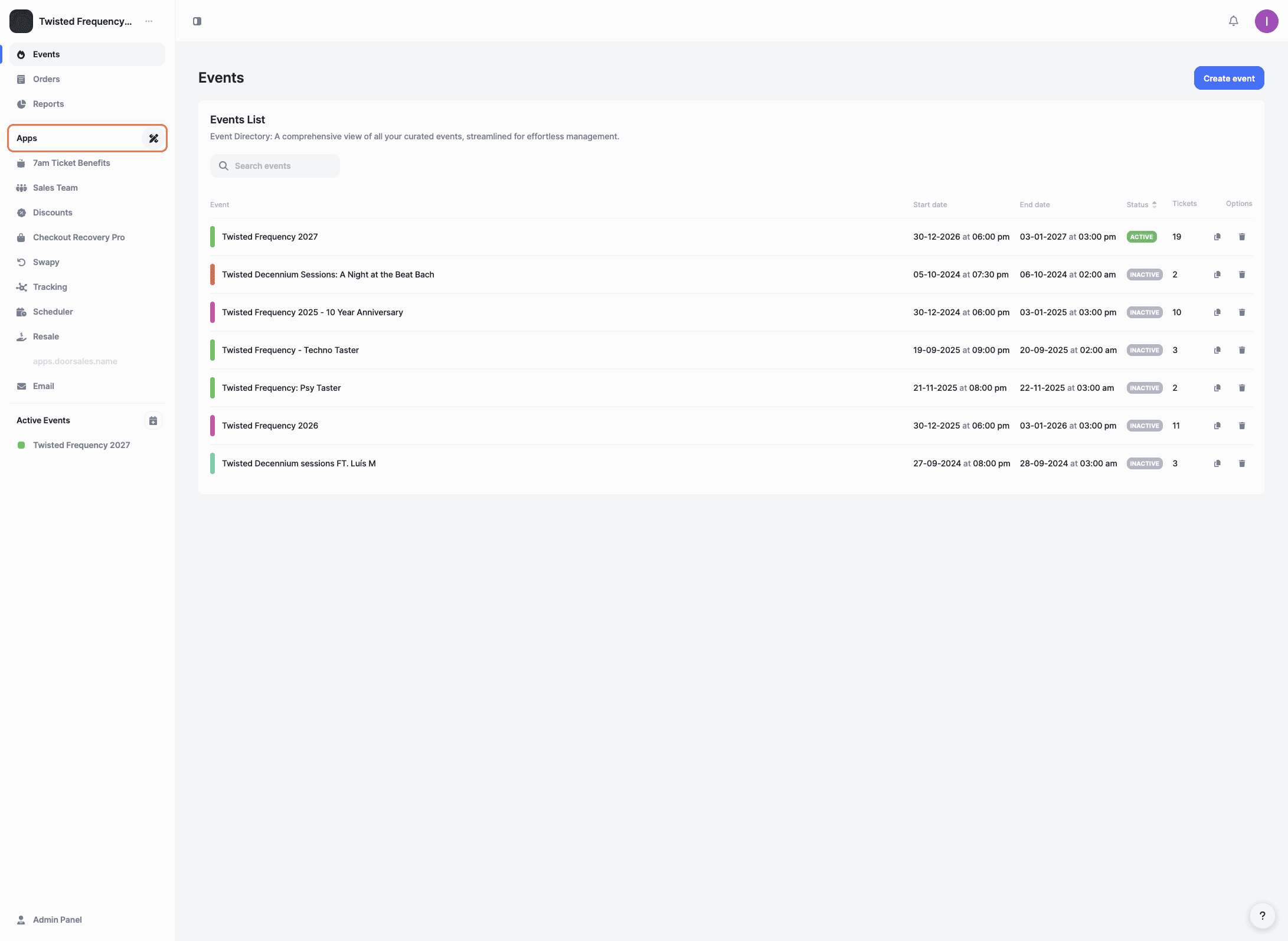
Once inside your organization, click 'Apps' in the left-hand menu.
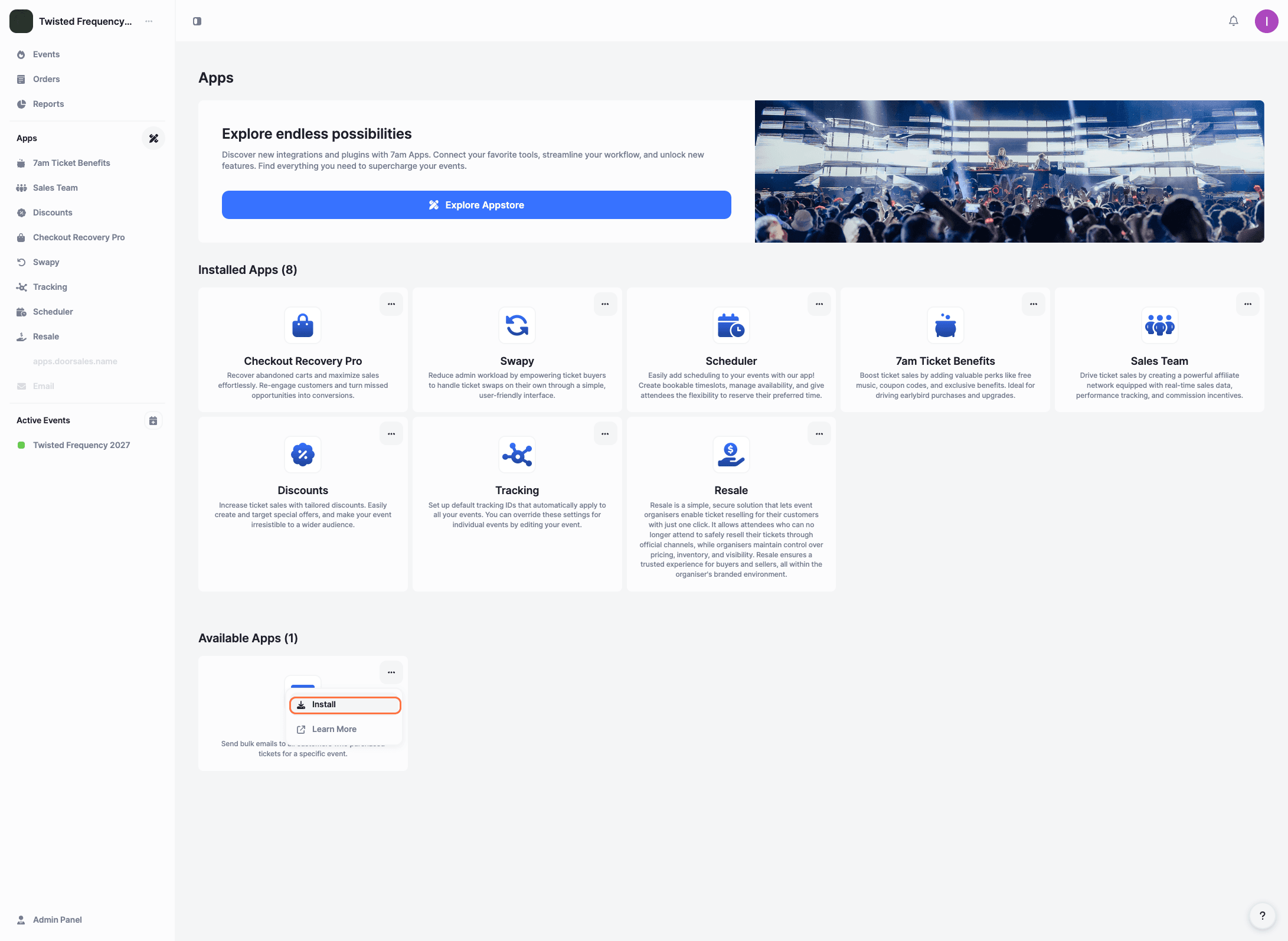
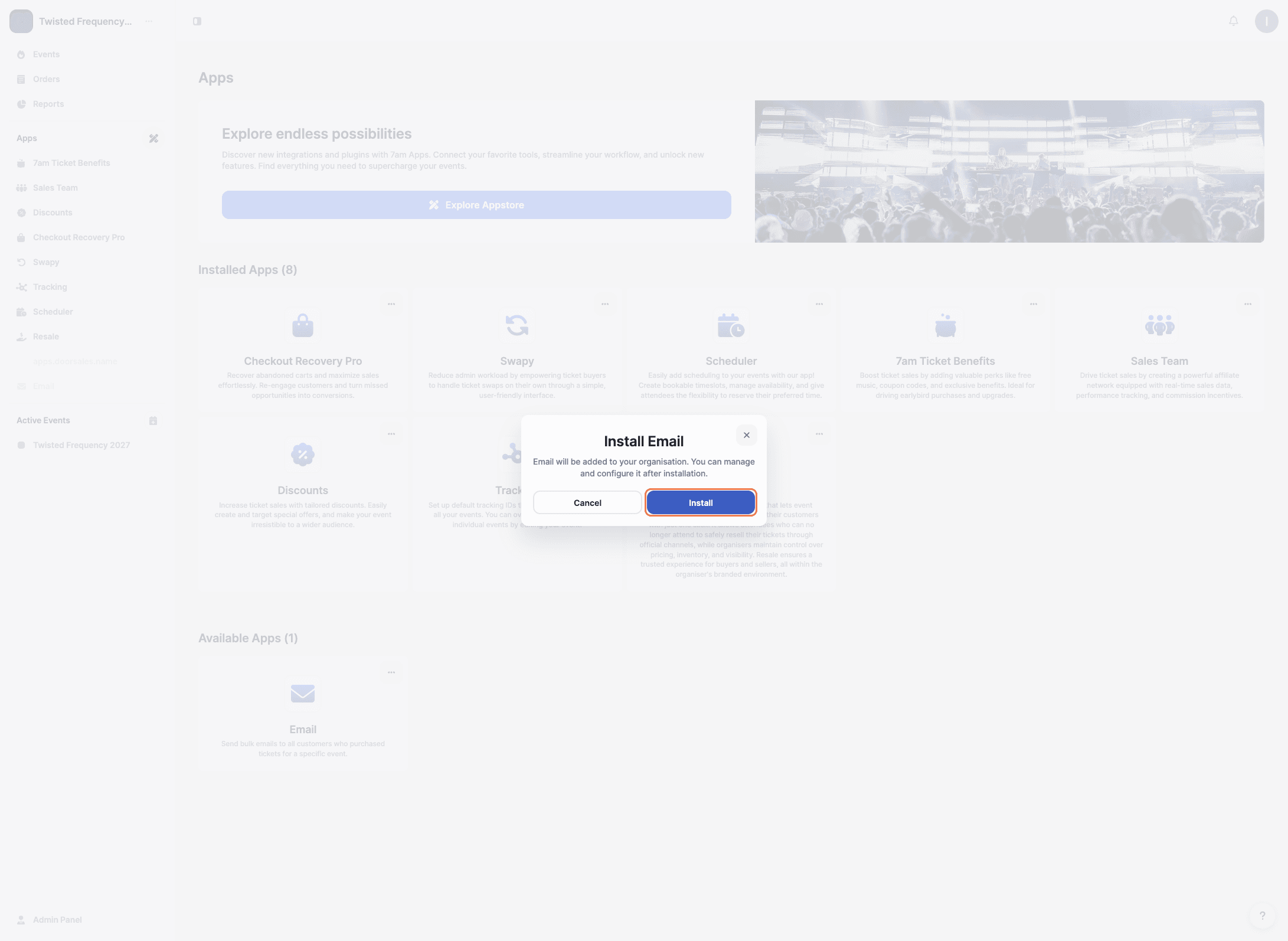
Locate the Email app in the 'Available Apps' section. Click the three dots next to the app and select 'Install'.
A confirmation message will appear. Click 'Install' again to confirm and add the app to your organization.
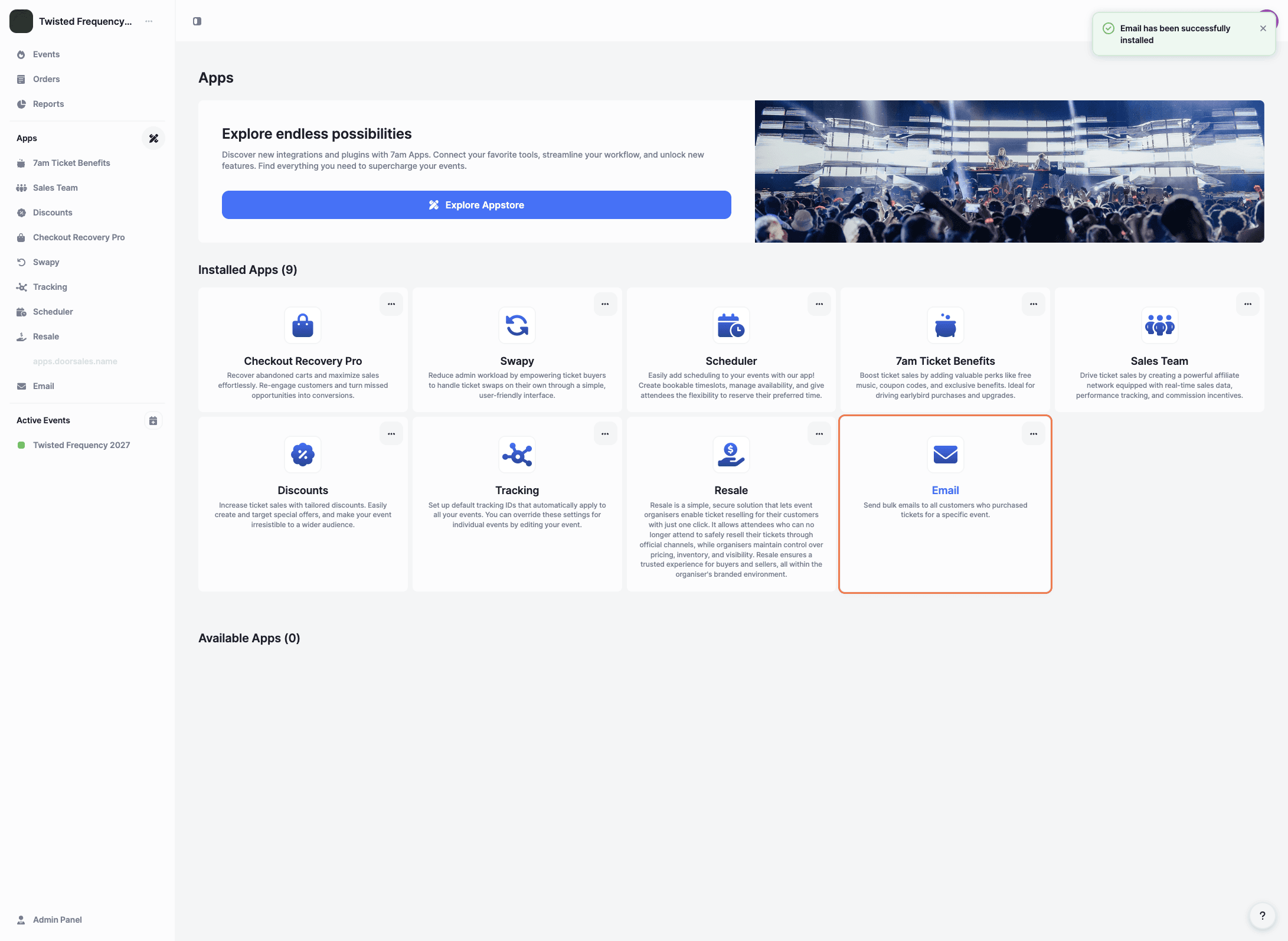
Once the installation is complete, you’ll see a confirmation message at the top of the screen. You can then click on the Email app to open it.
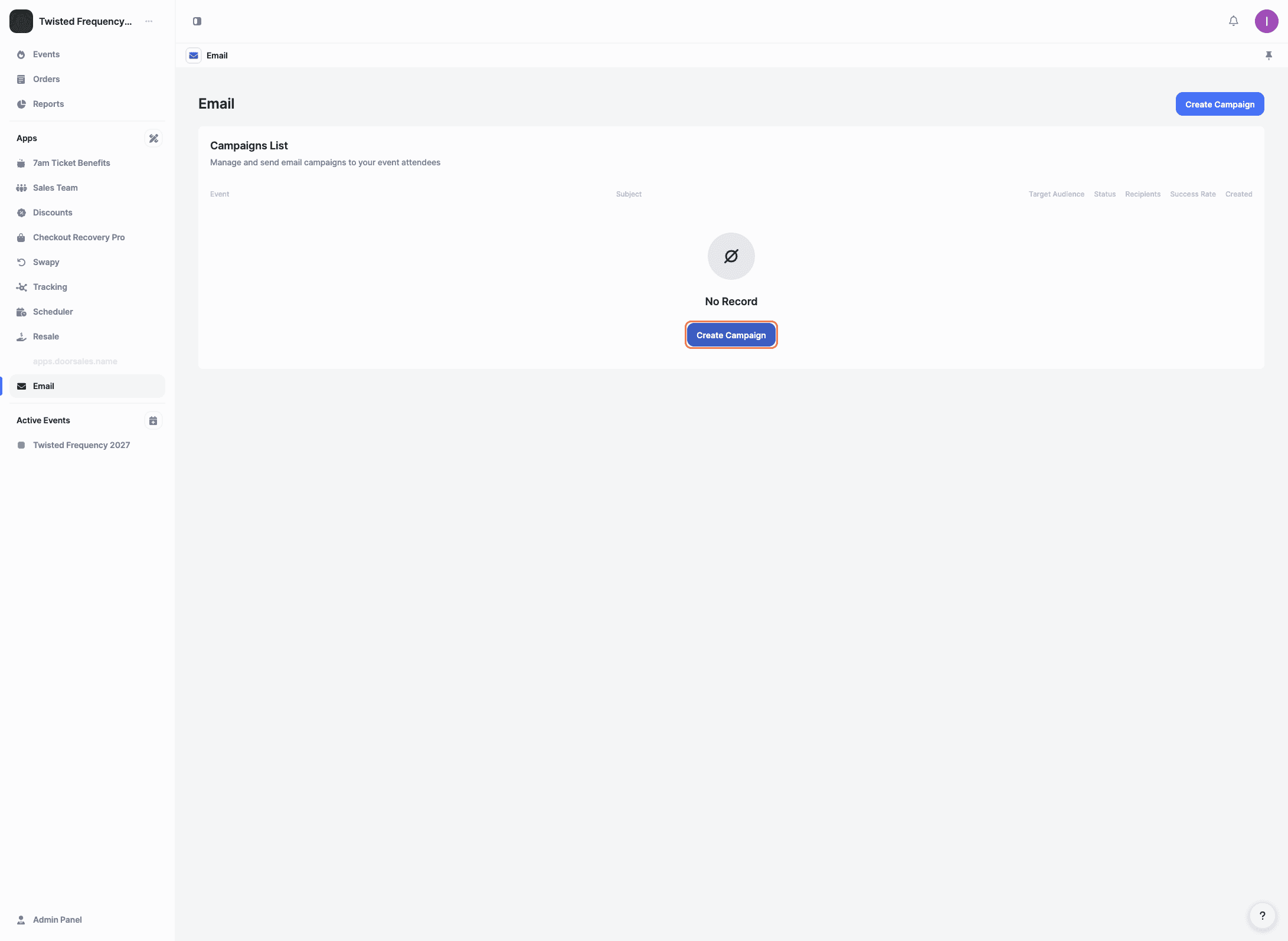
Inside the Email app, click 'Create Campaign' to start a new email campaign.
Choose the event you want to send the email campaign for. Only customers who purchased tickets for this event will receive the email.
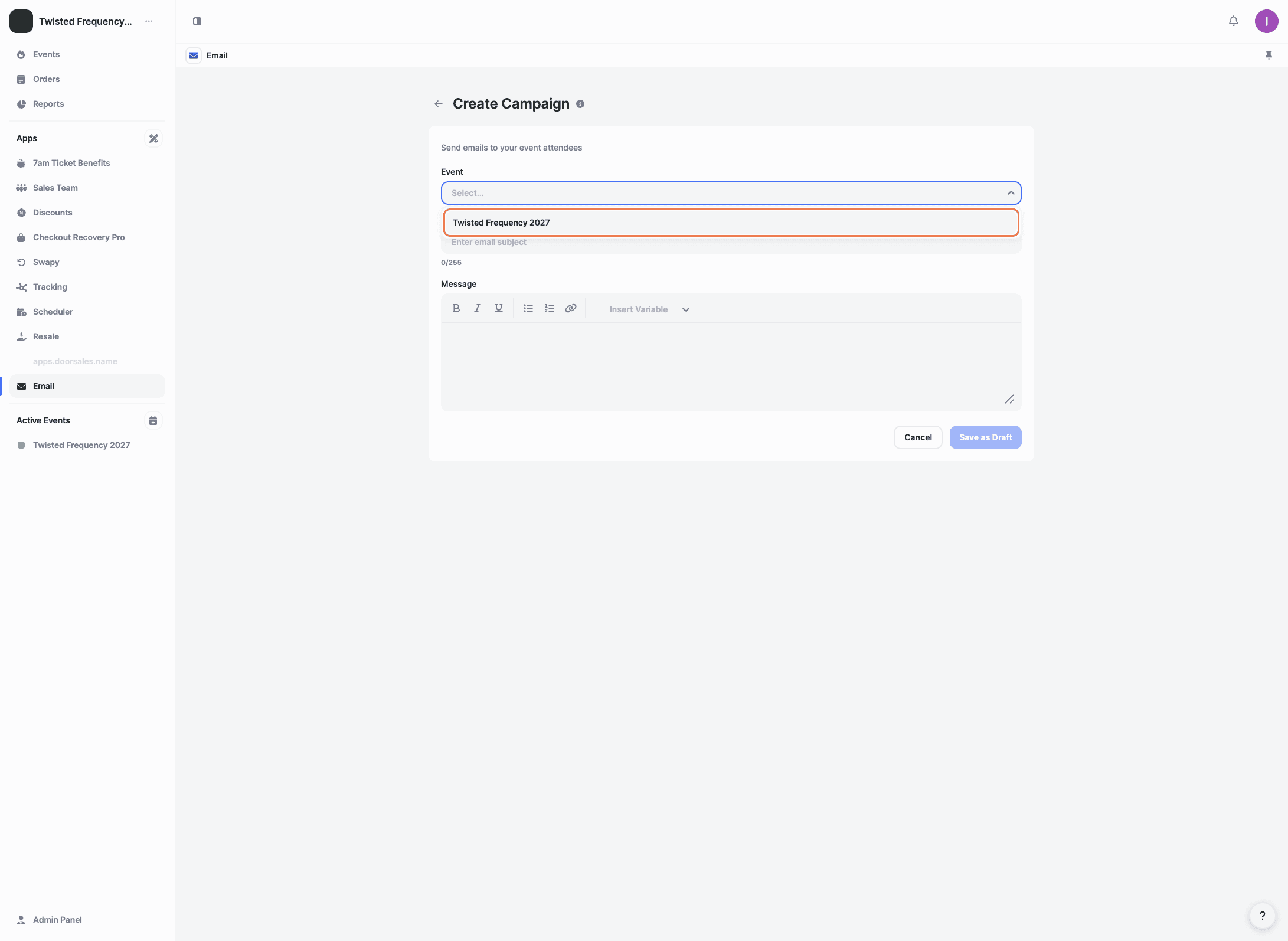
After selecting the event, choose how you want to filter recipients:
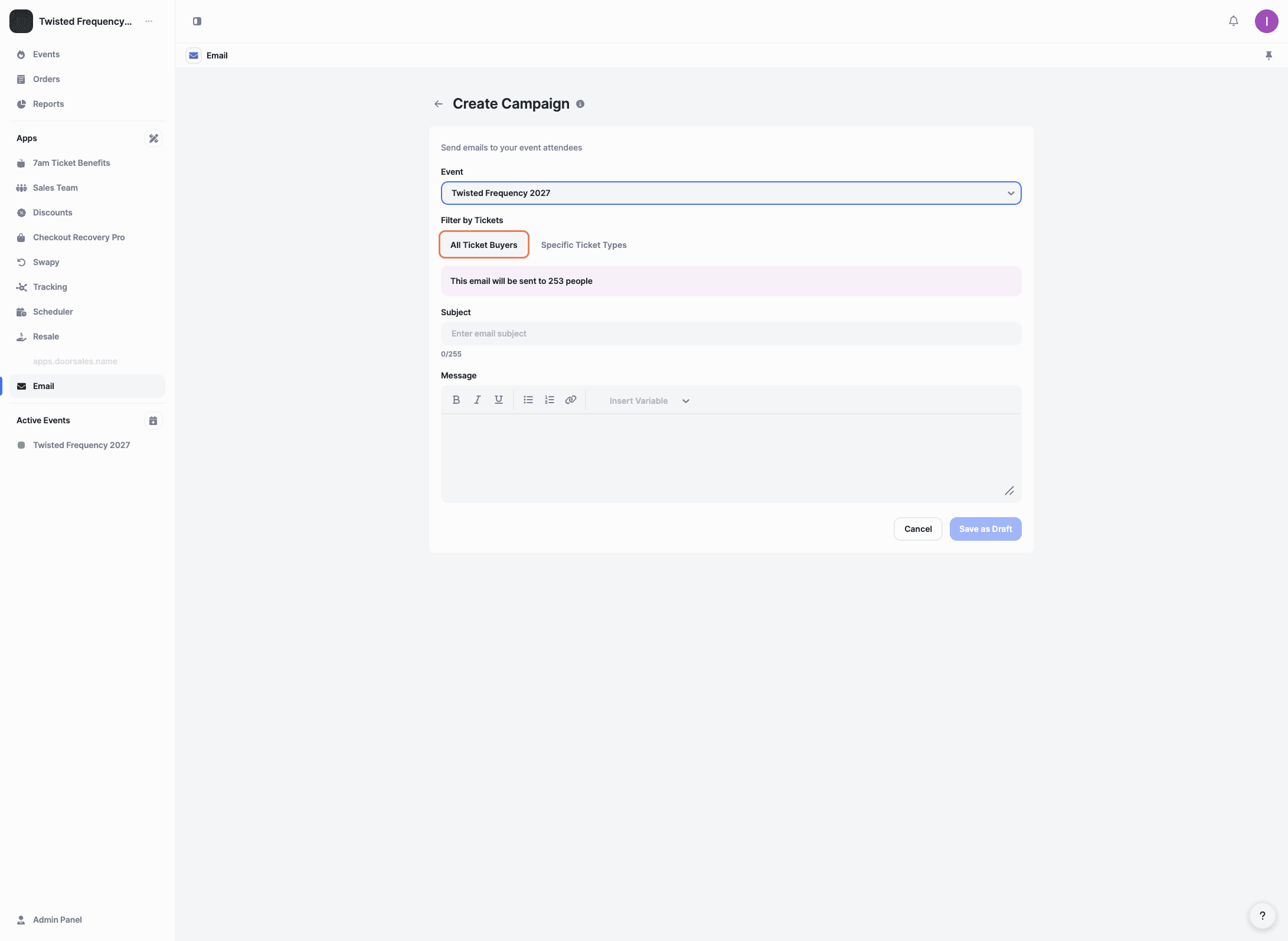
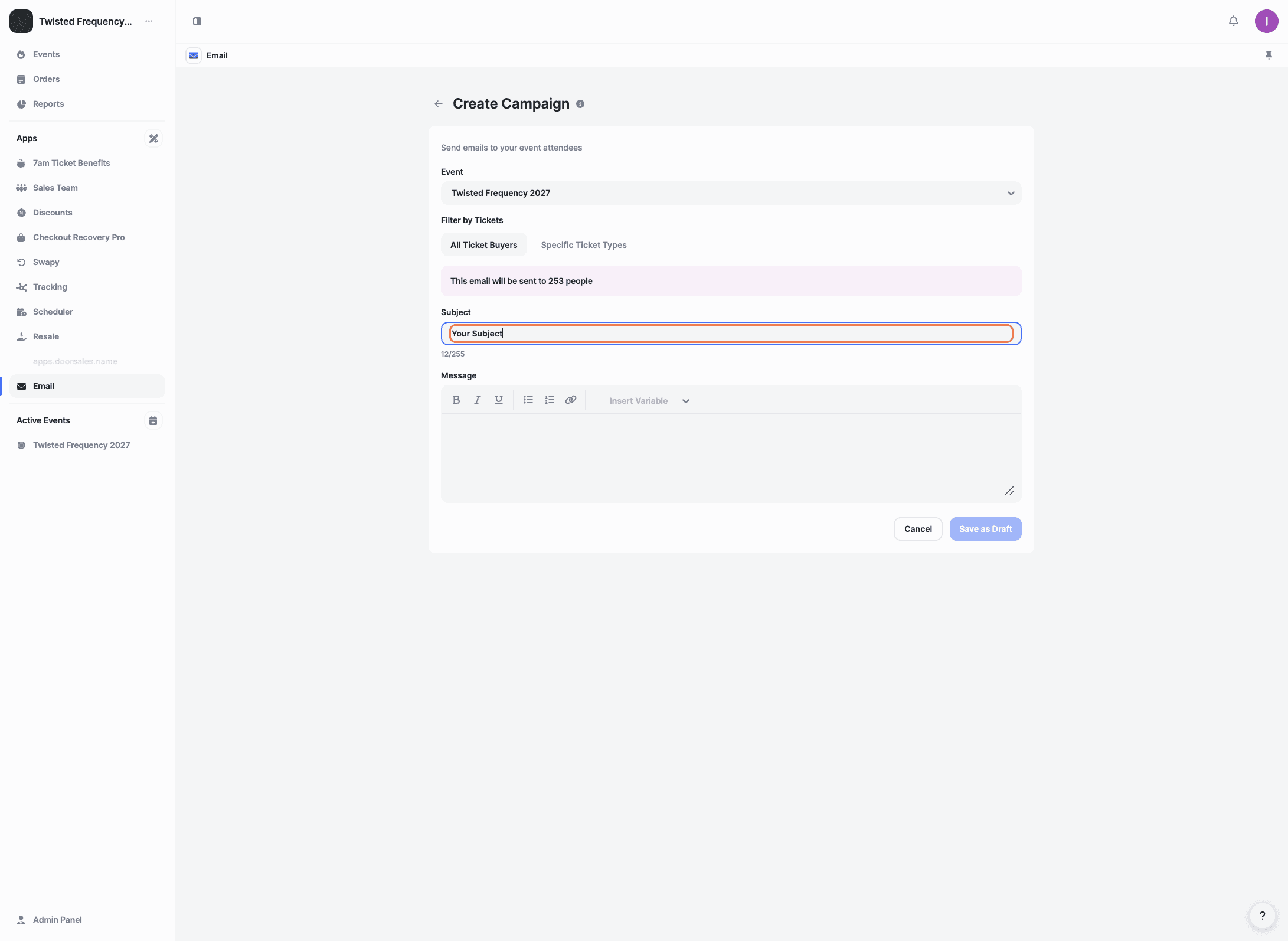
Enter a subject line.
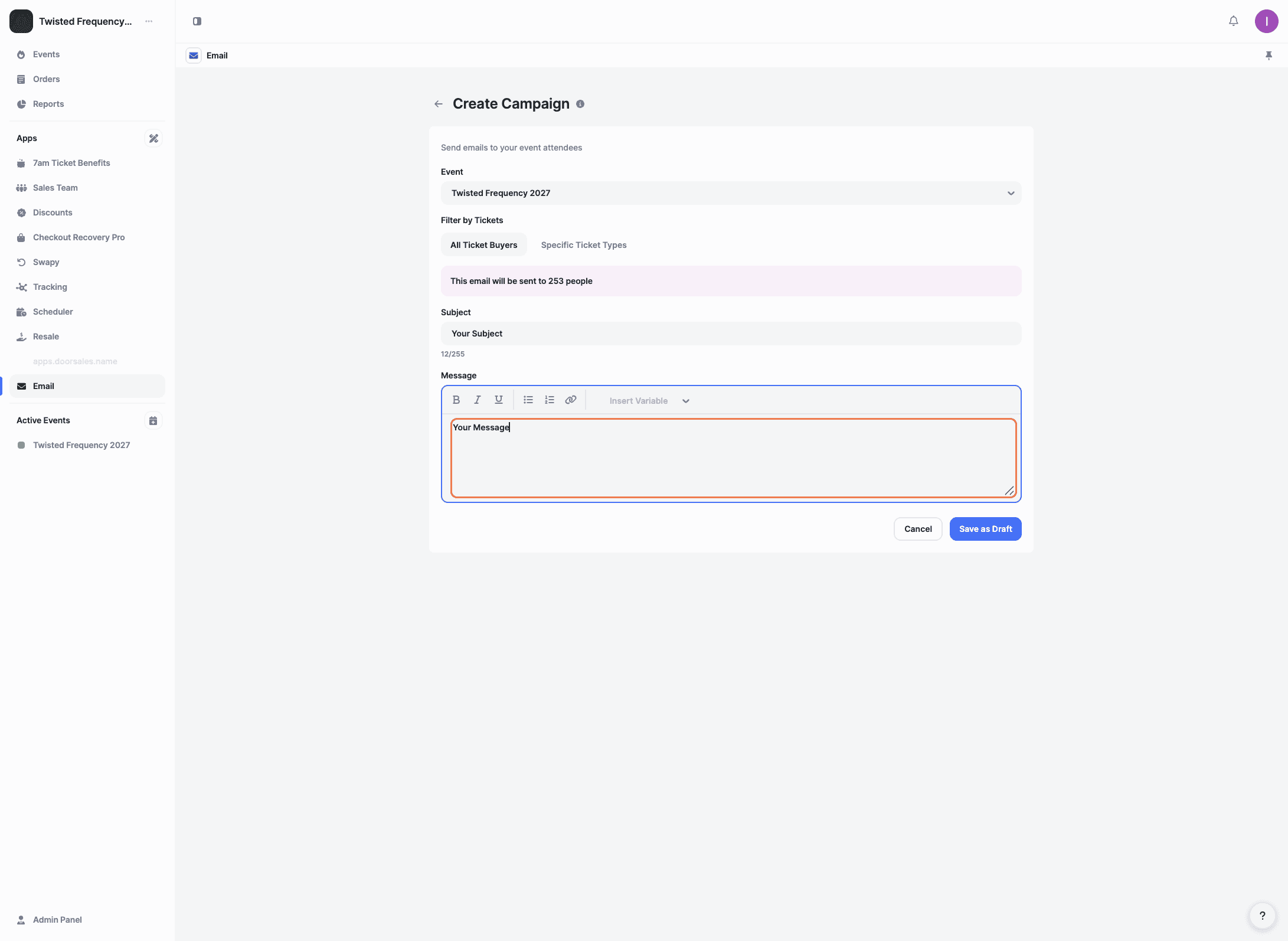
Write the email message you want to send to your attendees.
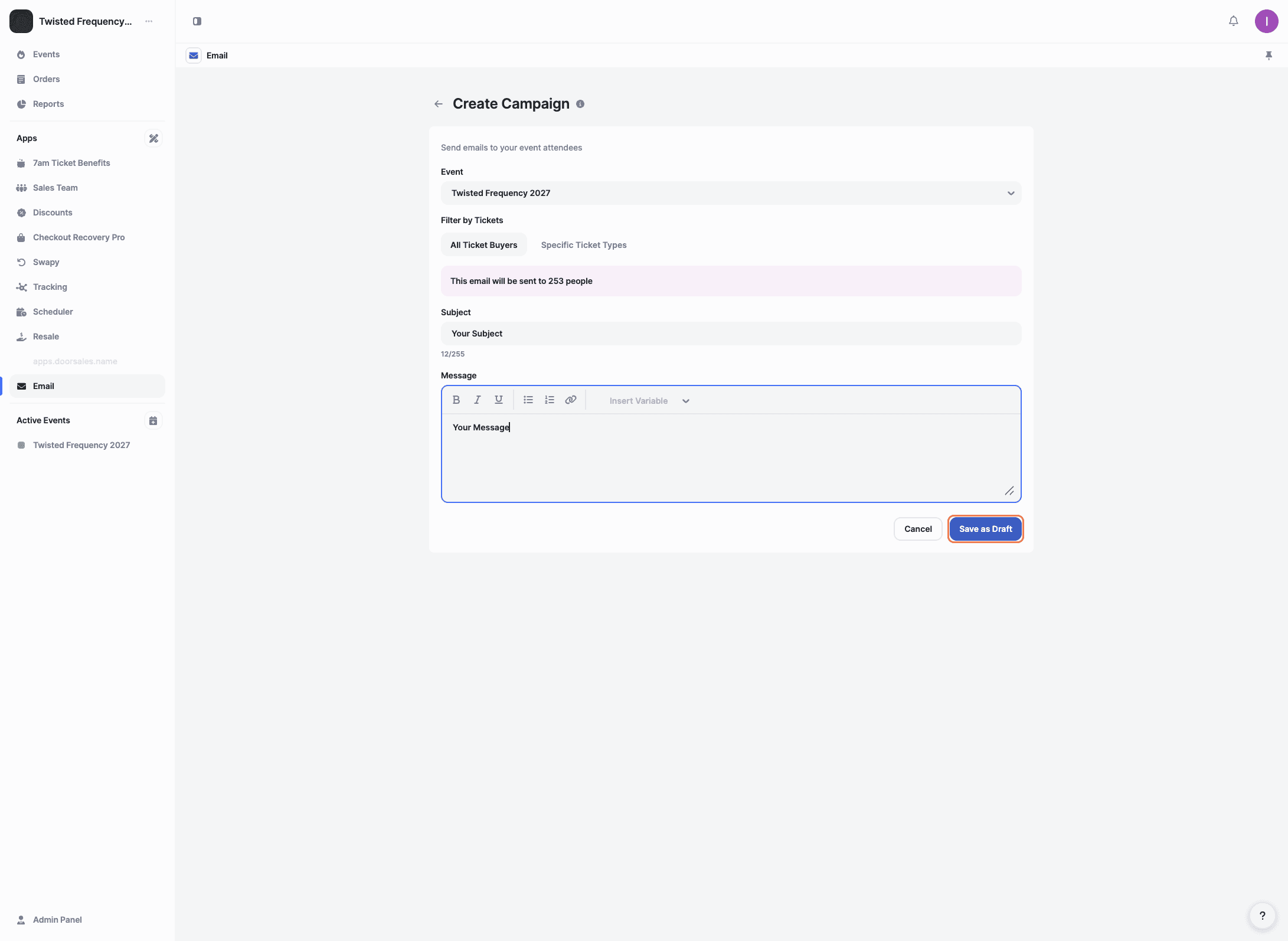
Once everything is ready, click 'Save as Draft' to save your campaign and continue editing or send it later.
You’ll be taken to the Campaign Details page. Here, you can review the event, target audience, total recipients, and preview your subject and message.
Click 'Test Email' to send a test version of the campaign to yourself. This is useful for checking formatting, content, and links before sending the email to your attendees.
When everything looks good and you’re ready to go live, click 'Send Campaign' to send the email to your selected recipients.
Who will receive the email campaign?
The campaign will be sent to the recipients you selected before clicking ‘Send Campaign’. Only those recipients will receive the email.
What should I check before clicking Send Campaign?
Before sending the campaign, double-check that the email content looks correct, all links work as expected, and the right recipients are selected.
When is it useful to send an email campaign to ticket buyers?
Email campaigns are useful for sharing important updates, reminders, last-minute information, or any details your attendees need to know before the event.
Explore More
View All